Don’t apply blind.
See every job. Know if you fit.
It’s your turn to do the screening. Bring every job you find into one list, see which ones deserve your time and whether you fit, then keep every application moving.
4 weeks free, every feature. A card is required to start, and you pay nothing until the trial ends. Cancel any time before then in Settings.
How JobIntel works, start to finish
One job search in about a minute, on a sample account.
Read the transcript
You saw this job on LinkedIn. Then on Indeed. Then on Glassdoor. Three tabs, and did you already apply?
On eight job boards, you save a job in one click, right where you found it.
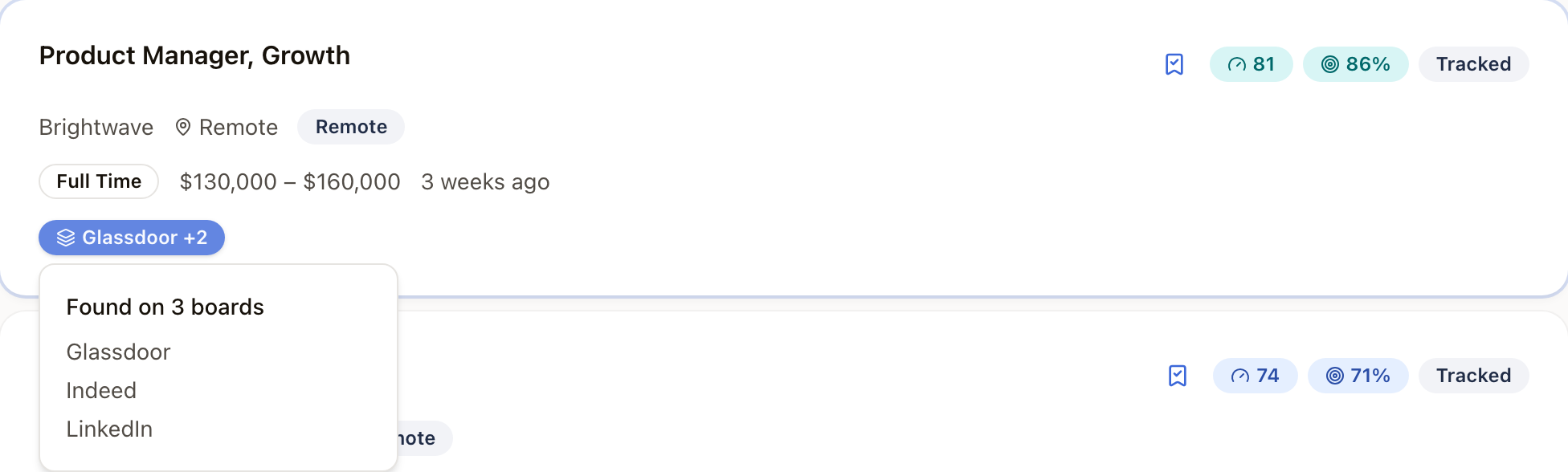
However many boards a job turns up on, your list shows it once, with every source kept.
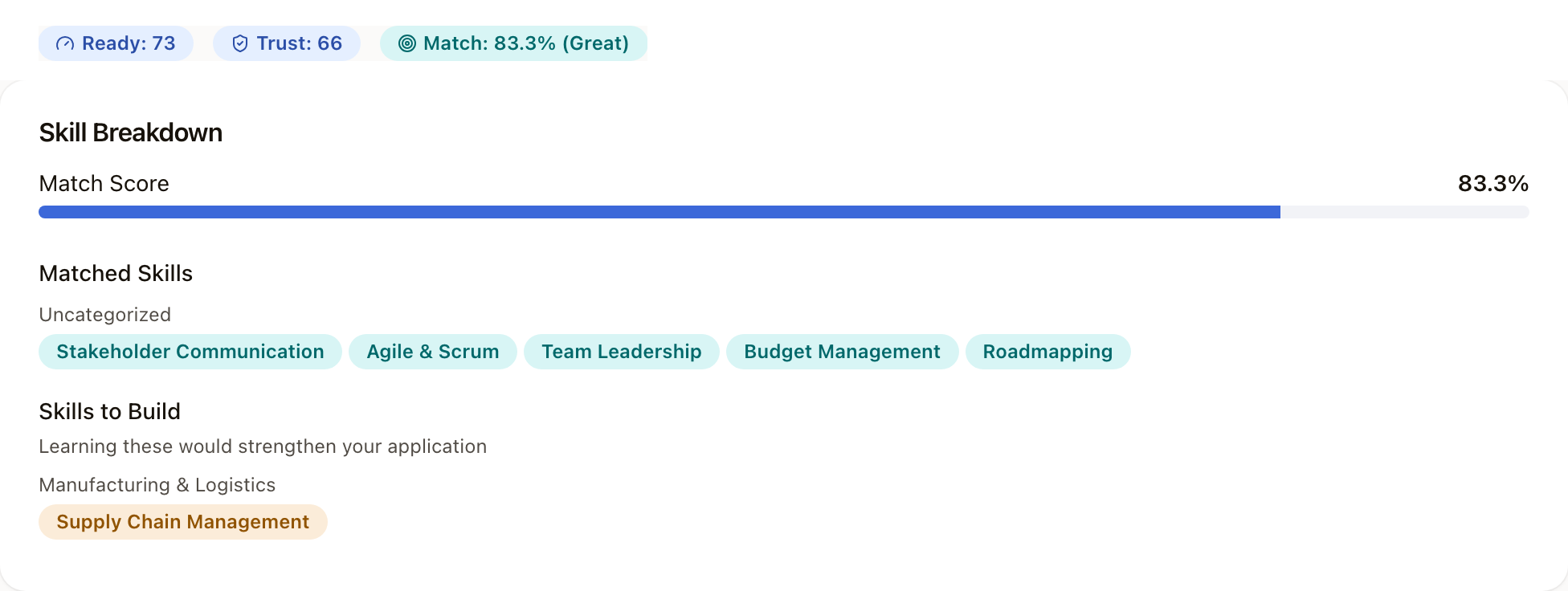
Open a job, and you get three scores. Trust, Match and Ready.
Match shows the skills you have, and the one this job asks for that you don’t.
Trust shows when a posting needs a closer look. This one is seventy-five days old, on a single board.
Found one worth your time? Start a practice interview from the job itself. The role and the company are already filled in.
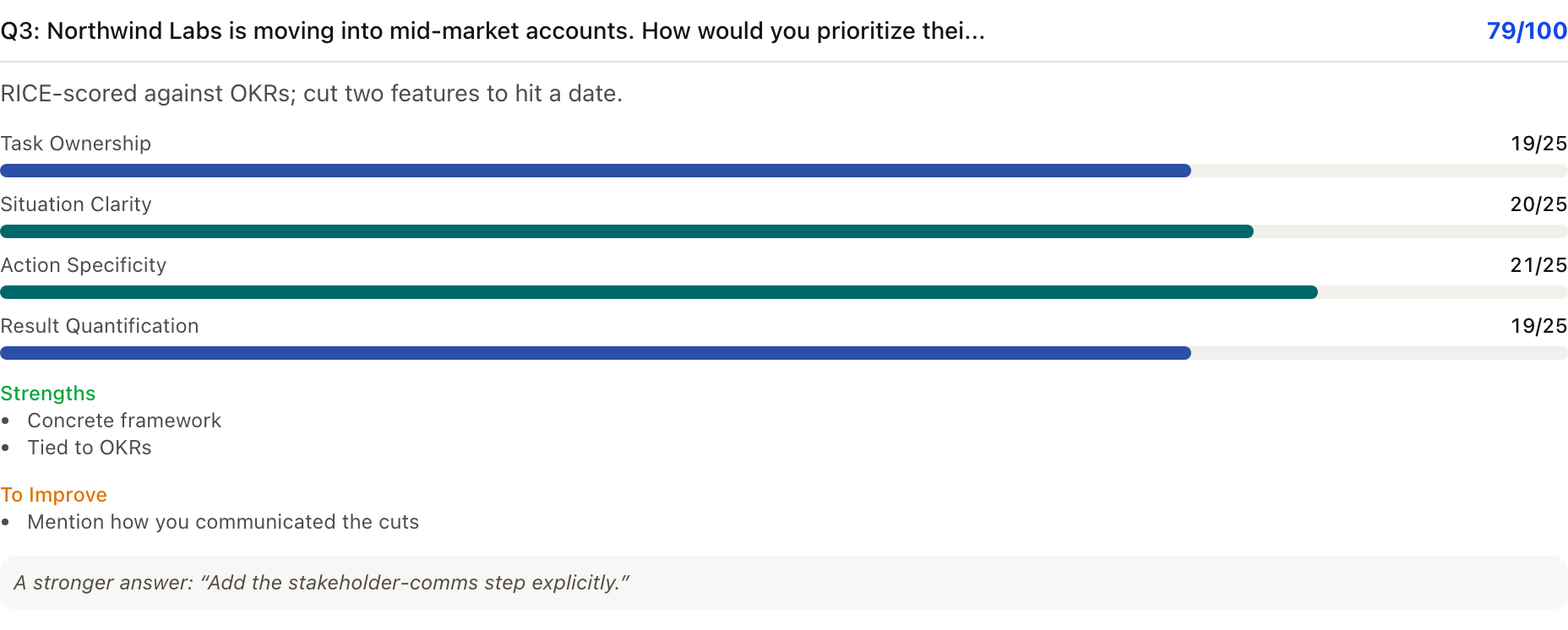
The questions are about this company. Every answer gets feedback, what worked and what to fix, before the real thing.
Track any job in one click.
Every application keeps its stage and its next step, like a thank-you note due in two days. You get an email when it’s due.
Don’t apply blind. Four weeks free, every feature. Add a card to start, pay nothing until the trial ends, and cancel any time before then.
One Platform. Every Job. Zero Noise.
Collect, evaluate, prepare, keep moving. One place for all four.
Collect jobs
Every job you find, in one list. Once.
Save it from a job board, paste the link or the text, drop in a screenshot, forward the alert, or search from JobIntel. The same job found on three boards shows up once, with all three sources kept.
- Save from 8 job boards with the Chrome extension
- Paste text from any source
- “Found on 3 boards” instead of three copies
Evaluate opportunities
Is it real? Do you fit? Know before you apply.
Every job gets a Trust score for how legitimate the posting looks, a Match score for how your skills line up, and a Ready score that weighs both against what you care about. A job that cannot be scored says so.
- Trust, Match and Ready on every scored job
- Company context next to the listing
- “Not scored” instead of a guess
Prepare effectively
Found a good one? Turn it into a plan.
See the skills you have and the ones you are missing. Get resume tips aimed at that posting, then practice with an interviewer that works from the job and your resume.
- Skill gaps for each job
- Resume tips for that posting
- Mock interviews for that job
Keep moving
Know where every application stands, and what’s next.
Track a job with one click, move it through the stages, keep notes and contacts with it, and get an email when a follow-up is due.
- Five stages, from Interested to Offer
- Notes and contacts on every application
- Follow-up reminders by email

Don’t apply blind. It’s your turn to do the screening.
Where jobs come from
Search from JobIntel across several job sources at once. Save from Indeed, Glassdoor, ZipRecruiter, Dice, Reed, StepStone, Totaljobs and InfoJobs with the Chrome extension. Forward Google Jobs and LinkedIn job alerts. Paste the text of any posting, from anywhere.
Your data
Download a copy of all your data, or delete your account, from Settings. If your subscription ends, nothing is deleted, and everything is back the moment you resubscribe.
4 weeks free, every feature. A card is required to start, and you pay nothing until the trial ends. Cancel any time before then in Settings.
